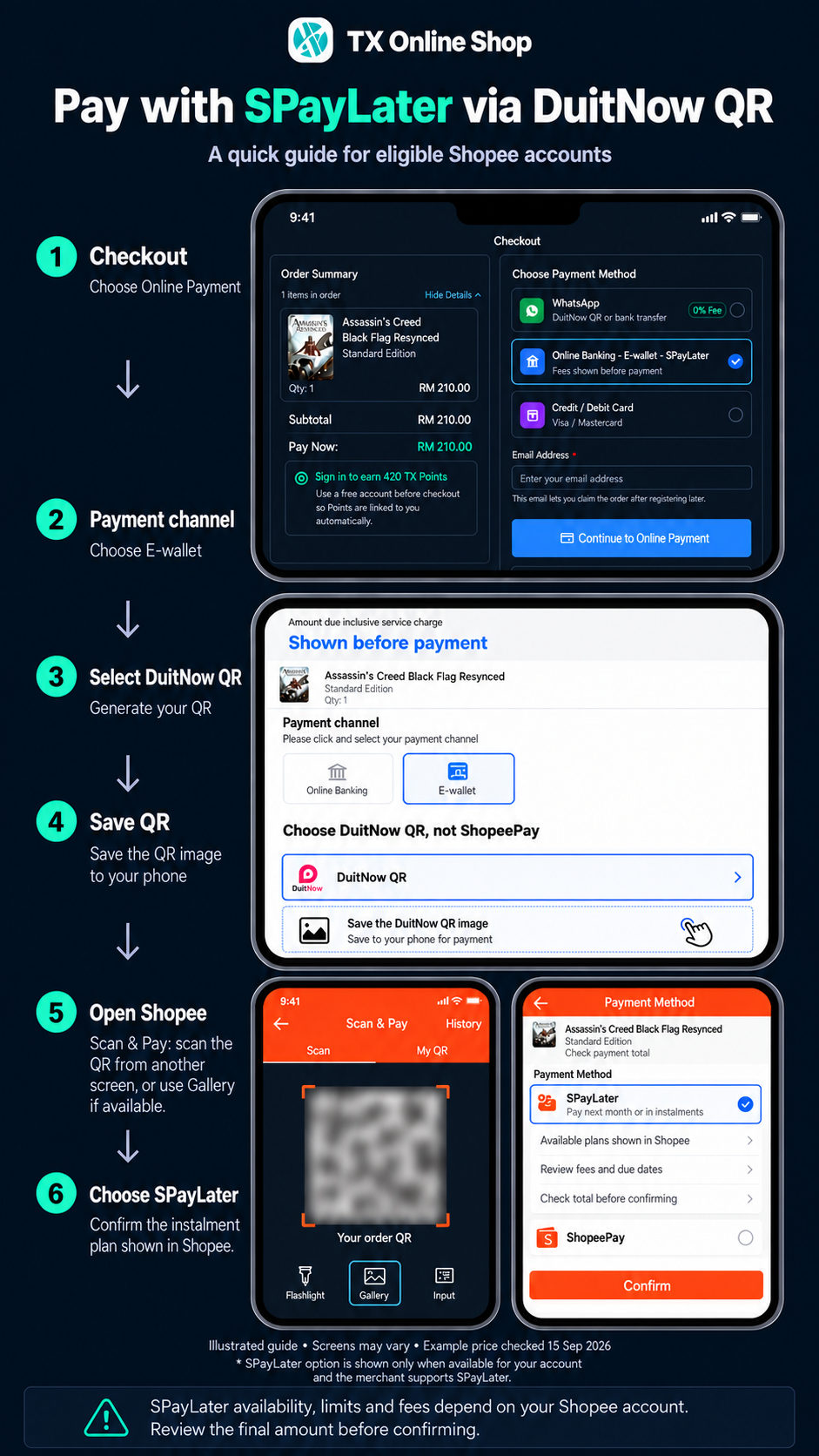
Pay with SPayLater
4 quick steps · via DuitNow QR
1. Website checkout
Choose Online Banking · E-wallet · SPayLater, then Continue to Online Payment.
2. Choose DuitNow QR
Under E-wallet, select DuitNow QR and save your QR.
Do not choose ShopeePay.
3. Open Shopee
Scan & Pay: scan from another screen, or use Gallery if available.
4. Choose SPayLater
If offered, review your plan, total and fees, then confirm.
Eligible accounts & transactions only. Gateway and SPayLater fees may apply. Terms
Paid? Return to your order. Still pending? Contact us before paying again. Get help
Illustrated screens · App may vary